Building a Digital Family Archive That Actually Lasts
A digital family archive only works if it's built to last. Here's what format choices, backup strategy, and encryption mean for long-term preservation.

Most people build a digital family archive by accident.
They scan some photos. Add documents to a folder. Start using a genealogy app. Over time, family history accumulates across hard drives, cloud services, and platforms — without a plan for how any of it connects or survives.
That's not an archive. That's scattered data.
A real archive is designed to be found, read, and used by people who weren't there when you created it — possibly decades from now, on hardware and software that doesn't exist yet.
The Format Question #
This is where most archives fail silently.
Proprietary formats — files that only open in specific software — are a liability for long-term preservation. If the software stops being maintained or the company behind it disappears, those files become inaccessible. Not corrupted, just unreadable.
The formats worth using for long-term storage:
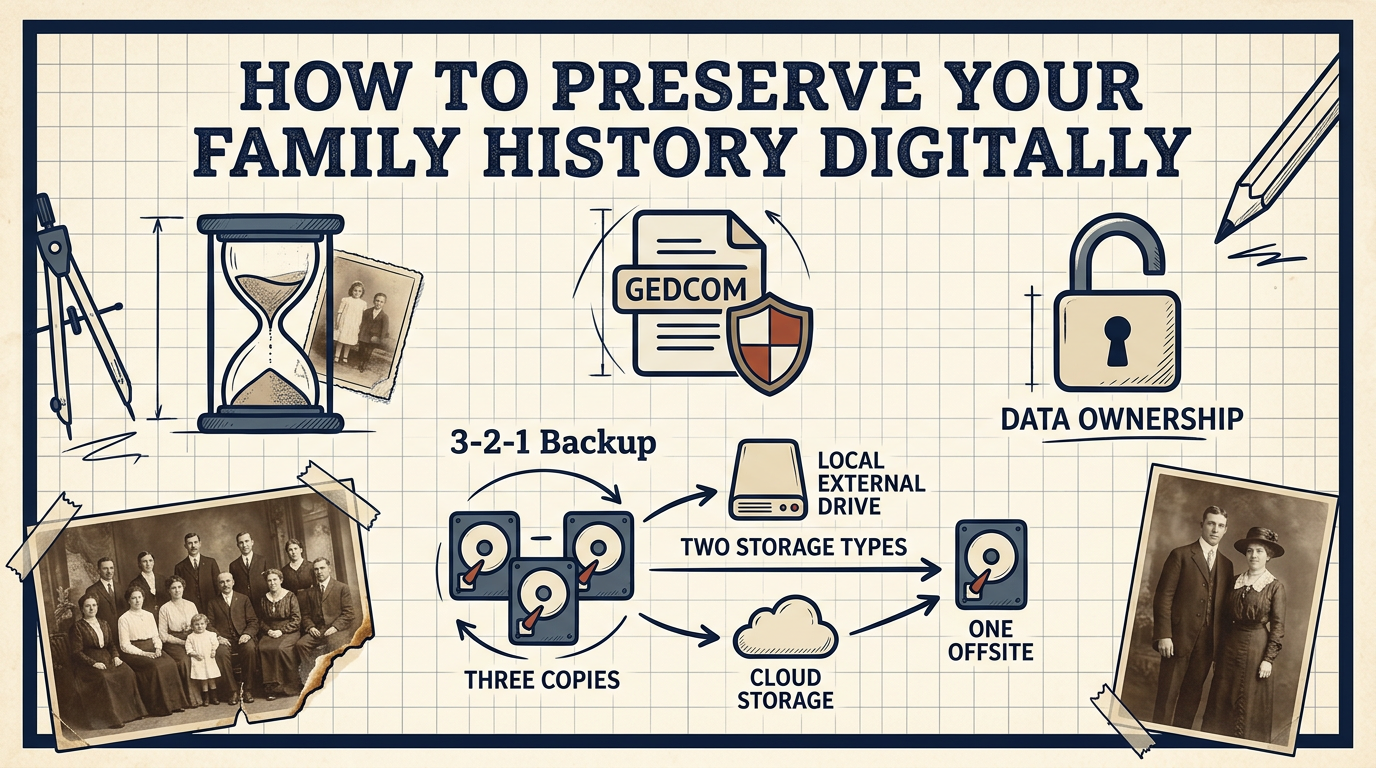
Genealogy data: GEDCOM is the open standard. It's plain text, widely supported, and has been around since the 1980s. Export to GEDCOM regularly regardless of what software you use day-to-day. If you want to understand what's in your file before storing it, a free GEDCOM viewer can help.
Photos: JPEG for most uses; TIFF if you need archival quality. Either way, 300 dpi minimum for anything you want to print. Include names and dates in the filename — 1958_munich_bakery_grandmother.jpg tells you more than IMG_4872.jpg ever will.
Documents: PDF for scanned papers. PDF/A (the archival variant) is specifically designed for long-term preservation.
Video and audio: MP4 and MP3 are widely supported and reasonable for family recordings. The key is making copies — video degrades on old media faster than most people realize.
The Backup Strategy #
One copy is not a backup.
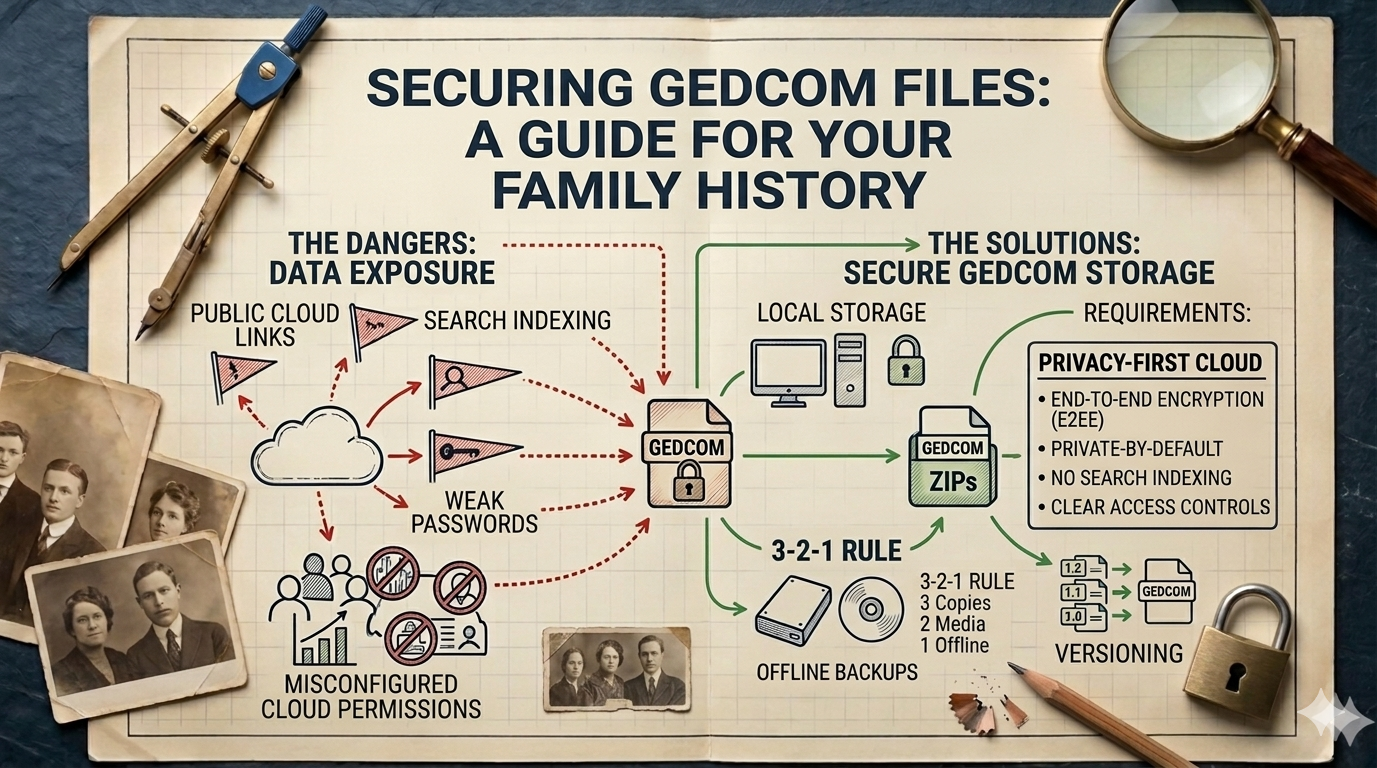
The 3-2-1 rule is the standard approach: three copies, on two different types of storage, with one stored offsite. Applied to family history:
- Copy 1: your working copy, wherever you actively use it
- Copy 2: an external hard drive at home
- Copy 3: cloud storage or a physical copy at a trusted family member's location
Offsite matters because it protects against events that affect everything in one location — fire, flood, theft. The copy at your cousin's house doesn't need to be up to date daily, but it needs to exist.
Test your backups occasionally. A backup you've never tried to restore is a backup you don't actually have.
The Encryption Question #
For family history specifically, encryption is worth thinking about carefully.
Your archive likely contains sensitive information about living relatives — birthdates, locations, family relationships. It may also contain documents that were private during someone's lifetime.
Encrypted storage means that even if your backup ends up in the wrong hands, the content is unreadable. It also means that if you lose the key, the content is unreadable to you too — so key management matters.
For most people, a reasonable approach:
- Use a platform or tool that handles encryption transparently (you don't manage keys manually)
- Keep at least one unencrypted local copy somewhere physically secure
- Don't rely on a single encryption method without a recovery plan
The goal is protection without creating a new way to lose your own data. For more on how encryption applies to genealogy data storage, see How to Store a GEDCOM File Securely.
Choosing Where to Store It #
A well-structured local archive combined with a privacy-respecting cloud backup gives you the best of both worlds: you keep control, and you're protected against local hardware failure.
What to look for in a platform if you're using one:
- Full data export in standard formats at any time
- Private by default — your data isn't part of a public discovery network
- Clear ownership: your data is yours, not the platform's
famstory is built around these principles — a private, encrypted space for your family history where your data stays exportable and under your control. See private family tree software for how a privacy-first approach compares to the mainstream alternatives.
Building an archive that lasts isn't complicated. It's mostly about making deliberate choices — formats, redundancy, ownership — instead of letting things accumulate by default.
FAQ #
What is the best format for a digital family archive? #
GEDCOM for genealogy data, JPEG or TIFF for photos, PDF for documents. These are open, widely supported formats that don't depend on specific software to remain readable.
How often should I back up my family history? #
At minimum, once a year — but after any significant research session is better. Export to GEDCOM regularly and keep at least one copy offsite.
Do I need to encrypt my family history files? #
For files containing information about living relatives, encryption adds meaningful protection. Use a platform or tool that handles encryption transparently, and make sure you have a recovery plan for your keys.